National Car Rental
- 4.4
- Rating
- 1.00M
- Installs
- Free
- Price

 Analysis by App-foxy
Renting a car is usually simple in theory: choose a location, select a vehicle, provide your details, and collect the keys. In practice, the stressful part often starts when the reservation does not appear as expected, the pickup location is harder to find than anticipated, or the phone app behaves differently from the rental desk. I reviewed National Car Rental with those everyday frustrations in mind, and I found an app that is most useful when it is treated as a practical companion to a rental rather than as a complete replacement for every part of the process.
This is a free Travel & Local app from EAN Services, LLC, aimed at people arranging and managing National car rentals on a mobile device. Its store summary focuses on speed, choice, and control, and that is a fair description of its purpose, although the experience depends heavily on having accurate trip details and a reliable connection when you need them. The app is rated for Everyone, has passed the one-million-install mark, and holds a 4.4 average from roughly twelve thousand ratings, with about three thousand eight hundred written reviews.
Where the rental workflow can get stuck
The first thing I noticed is that a car-rental app is only as smooth as the information entered into it. A small difference in the pickup location, return location, or travel timing can make the result feel wrong even when the application itself is working normally. Airports may have several nearby rental areas, while city branches can share similar names. Selecting the wrong one at the beginning can create a chain of confusion later.
You May Also Like

 Blood Strike: 2.5 Anniversary
Blood Strike’s Loadouts Turn Every Drop Into a Tactical Gamble
A close look at Blood Strike’s custom loadouts: how fast access to signature weapons reshapes its battle royale rhythm, rewards preparation, and narrows the gap between fights.

 Pandora - Music & Podcasts
Pandora’s Music Is Easy to Start, but Harder to Recover
Pandora’s strength is its low-effort path from a seed to a station. Its weak spot is how much confidence it asks you to place in connection, setup, and quiet recovery.

 8 Ball Pool
 Is Built on Rivalries, Rematches, and Routine
A close look at the rivalries, rematches, shared routines, and unanswered safety questions that turn a quick pool match into a persistent mobile community.

 Samsung Music
’s Quiet Strength Is Playing What You Already Own
Its reach comes less from spectacle than from dependable access to a personal library. That simplicity is both the app’s strongest retention engine and its ceiling.

 AccuWeather: Weather Radar
AccuWeather Review: A Quick, Clear Forecast for Everyday Decisions
For everyday plans, the best forecast is the one you can understand quickly. AccuWeather makes rain timing, radar, and local conditions easy to act on, with a few trade-offs.

 Hill Climb Racing
Why Hill Climb Racing Still Turns Crashes Into One More Run
A tiny car, a bumpy hill and one more upgrade: Hill Climb Racing keeps resurfacing because its simple chaos makes every near-miss feel personal.
More From Our News Desk



I recommend slowing down at the location-selection stage instead of choosing the first familiar result. Check whether the branch is at an airport, in a terminal area, or in the city itself. If your plans involve a one-way rental, pay particular attention to the return location before continuing. A reservation can appear perfectly valid while still being inconvenient if it was created for the wrong branch.
Another common sticking point is the difference between browsing and managing an existing rental. Looking for an available vehicle is a different task from retrieving a reservation you already made. If you move between those areas without keeping your confirmation details nearby, it is easy to assume that a missing reservation means the booking failed. I found it more sensible to verify the essential details first, then try again rather than repeatedly submitting the same request.
The most useful habit is to treat the confirmation details as your backup plan. Keep the reservation information accessible before leaving for the airport or branch. The app can make the information easier to reach, but relying on a single screen at the exact moment of pickup is unnecessary risk, especially when mobile reception is weak or your phone battery is low.
What to check before blaming the app
If a search produces no suitable vehicle, I would first review the dates, times, and branch rather than assuming National has no cars available. A narrow time window can change the results, and an airport location may behave differently from a neighborhood branch. Try adjusting only one part of the search at a time so you can identify what changed the result.
It is also worth checking whether the phone is online before repeatedly tapping a search or confirmation button. A weak connection can make a request appear frozen, then produce a delayed response after you have already tried again. That can lead to duplicate attempts or uncertainty about which result is current. Waiting briefly, returning to the previous screen, and checking the reservation area is safer than rapidly repeating the action.
The app runs on Android devices using version 8.0 or later. That makes it available to many older phones, but compatibility alone does not guarantee a trouble-free experience. A device with very limited free storage, an outdated system component, or aggressive background restrictions may still make any travel app feel unreliable. Before a trip, I would update the phone, restart it, and open the app once while connected to a stable network.
Small setup checks that save time later
Before using the app for an important journey, I would confirm that the account information and reservation details match the documents you plan to present at pickup. Names, dates, and locations deserve a careful look because correcting an error at the counter can be more time-consuming than fixing it before travel. This is especially important when someone else in your group will collect the vehicle.
I would also open the app at home and practice the basic path you expect to use: finding the reservation, checking the branch, and reviewing the rental details. This is not about memorizing every screen. It simply reveals whether you can access the information you need before you are standing with luggage in an unfamiliar terminal.
Do not wait until the pickup line to discover that you have forgotten a key detail. I like to review the collection time, return time, and branch name on the day before travel. If the plan has changed, making that clear to yourself early gives you more options than discovering the mismatch at the last minute.
National Car Rental is free to download, which makes it easy to keep installed for occasional use. Still, free access does not remove the practical costs of a rental: the vehicle choice, branch conditions, and the terms attached to the booking matter more than the app itself. I would use the application to organize the rental, but I would not assume that installing it automatically makes every change or question instant.
Recovering when the normal workflow breaks
When the app does not show the result I expect, my first recovery step is simple: stop and identify whether the problem is with the search, the account, or the connection. Closing and reopening the app can clear a temporary display issue, but it will not correct an incorrect branch or missing reservation information. Troubleshooting works better when each step tests one likely cause.
If a reservation seems absent, I would carefully re-enter the relevant confirmation information instead of creating a new booking immediately. A typo, an extra space, or using a different detail than the one attached to the reservation can prevent a successful match. If the reservation was made through another channel, I would also allow for the possibility that the information needs to be retrieved through the same booking path rather than assumed to be available in every part of the app.
If a page remains unresponsive, switch between a dependable Wi-Fi connection and mobile data if possible. This is a general connection check, not a guarantee that the service will work in every location. Public airport networks can be crowded, and a phone may show a Wi-Fi symbol while still struggling to complete a secure request. I would avoid making important changes until the connection is stable.
Restarting the phone is a surprisingly useful step before a long trip. It can resolve temporary problems involving memory, network registration, or background processes without changing your reservation. If the issue continues, checking that the installed app is current is sensible. The current version listed for National Car Rental is 6.13.0.6029, so users who have not updated in a long time should not assume their older installation behaves exactly the same way.
There is a difference between recovering access to information and changing the rental itself. If the app displays the reservation but a requested change does not go through, I would not keep submitting the same request. Write down what you tried, preserve the reservation details, and use the appropriate National support or branch contact route. An app screen cannot always settle a time-sensitive rental question, particularly when pickup is close.
A realistic airport-day example
Imagine arriving after a delayed flight with a phone at low battery. You open the app and the reservation screen takes too long to load. The worst response would be to repeatedly refresh while walking through the terminal and then create another reservation without knowing whether the first one exists. A better sequence is to connect to dependable Wi-Fi if available, confirm the branch name, reopen the app once, and check the reservation details again.
If the screen still does not cooperate, use the confirmation information you saved earlier and ask the National desk to verify the booking. The app remains useful as a convenience, but the rental counter is the more appropriate place to resolve an identity, vehicle, or pickup issue that cannot be settled from the phone. This is one of the most important trade-offs: digital control is convenient, while human assistance is often better for exceptions.
On the return journey, I would use the app as a reminder of the planned branch and timing, but I would still pay attention to signs and local instructions. A phone can display the intended return location without helping you navigate a confusing airport road system. If the return plan changes because of traffic, a flight adjustment, or a branch problem, contact the rental company rather than relying on an app update alone.
When the app is not the cause
Many rental frustrations originate outside the application. A branch may be busy, a flight may arrive late, a selected vehicle may no longer be immediately available, or a location may require a different pickup process. None of those situations can be solved simply by reinstalling the app. The right response is to separate technical access from the underlying rental issue.
For example, if the app opens normally but the vehicle choice does not match your expectations, that is not necessarily a software failure. Availability can depend on the branch and the time you selected. If the reservation details are correct, the next step is to ask the location what alternatives are possible. Repeating the search may show different options, but it cannot promise that a preferred vehicle will be waiting.
The same distinction applies to charges, eligibility questions, documentation, and changes requested close to pickup. The application may help you review the booking, yet the rental agreement and branch staff remain more important for decisions involving the actual contract. I would avoid treating a displayed option as a final promise until the rental conditions are clear.
This is also where National Car Rental differs from general travel aggregators. A comparison service can be better when your priority is scanning multiple companies, locations, or broad price ranges in one place. National’s app makes more sense once you have decided to rent through National and want a direct way to handle that relationship. It is focused rather than universal, which is both its strength and its limitation.
Compared with using a mobile browser, a dedicated app can feel more convenient for returning to the same rental information. The benefit is greatest for a traveler who already knows the company and expects to manage a National booking more than once. If you are only comparing providers or renting from several companies during a trip, keeping multiple dedicated apps may add clutter without giving you much extra value.
Who will benefit most from it
I think the app suits frequent National customers, business travelers who want their rental information close at hand, and vacationers who prefer preparing the trip on a phone. It is also useful for someone who dislikes searching through email while moving through an airport. Having a dedicated place to review the rental can reduce small delays, provided the user has checked the details in advance.
It is less suitable for a traveler who wants one neutral tool covering every rental company. It is also not the best answer for someone who rarely rents a car and does not want another app installed. In that case, a browser and saved confirmation may be enough. Likewise, anyone expecting the app to resolve every branch-level question without human contact may be disappointed.
Privacy-conscious users should make their own judgment about keeping a rental application on a personal device, particularly if the phone is shared. I would use a screen lock, avoid leaving reservation details visible in public, and remove old travel information when it is no longer useful. Those are sensible habits for any app that puts itinerary or booking information within quick reach.
My practical verdict after using it
National Car Rental is a focused, free travel app that does its best work before and during a National rental, when you need a direct way to revisit the booking instead of searching through unrelated travel tools. The developer, EAN Services, LLC, has a product with a substantial user base and a strong average rating, but those figures should be read alongside the practical reality that rental experiences depend on branches, availability, timing, and connectivity.
I would recommend installing it if you already plan to rent from National, especially before an airport trip. Set it up while you still have time, verify the location and schedule, and keep the confirmation details available outside the app as well. That preparation turns the phone from a possible point of failure into a useful backup and reference tool.
My main reservation is not that the app is difficult; it is that users may expect it to control parts of the rental process that belong to the branch or the rental agreement. When the app is treated as a convenient management layer rather than a magic solution, its role becomes clearer. It can reduce searching and help you stay organized, but it cannot remove every real-world complication.
For my own travel plans, I would keep it installed for a National booking and use it alongside a saved confirmation, a charged phone, and a quick check of the pickup and return locations. That combination is more dependable than relying on any single screen. If your priority is comparing every rental company in one place, choose a broader travel service instead. If your priority is managing a National rental with less rummaging through messages, National Car Rental is a sensible companion and worth trying.
FAQs for National Car Rental
01What features does the National Car Rental app offer?
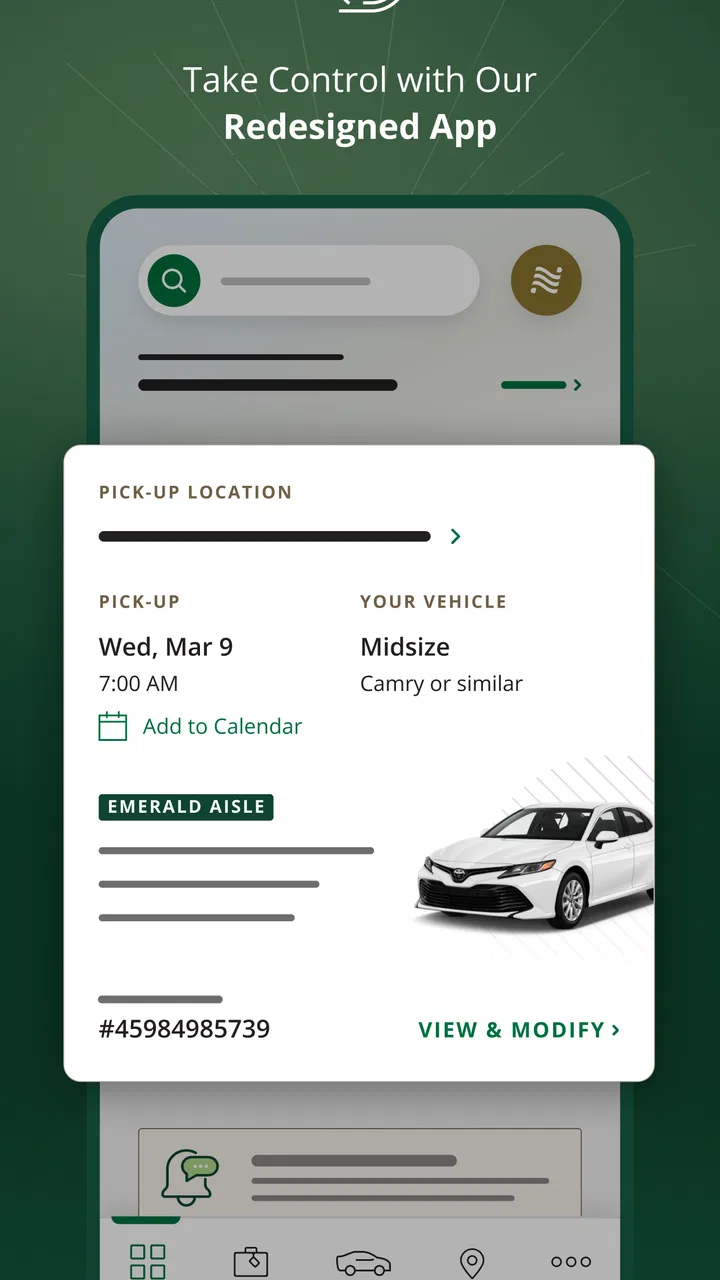
The National Car Rental app provides a seamless experience for booking and managing rental cars. Users can quickly reserve vehicles, view or modify existing reservations, and access special offers. The app also includes features like Emerald Club loyalty rewards, a location finder with real-time navigation, and 24/7 customer support for any rental inquiries.
02Is the National Car Rental app free to download and use?
Yes, the National Car Rental app is free to download on both Android and iOS platforms. While the app itself does not incur any charges, renting vehicles will involve costs based on your selection and any additional services you choose. Membership in the Emerald Club loyalty program is also free and offers various benefits.
03Can I use the app to manage my Emerald Club membership?
Absolutely. The app integrates seamlessly with the Emerald Club, allowing members to view and update their profiles, track reward points, and access exclusive member benefits. Users can also easily upgrade their membership level by meeting rental criteria, providing a more personalized rental experience.
04How user-friendly is the National Car Rental app for new users?
The National Car Rental app is designed with user-friendliness in mind. Its intuitive interface makes navigation easy, even for first-time users. The app guides you through the booking process step by step, and features like the location finder and reservation management are straightforward and accessible, ensuring a hassle-free experience.
05Does the app require an internet connection to function?
While some features of the National Car Rental app, such as viewing existing reservations and accessing offline information, can be used without an internet connection, most functionalities require connectivity. Booking, modifying reservations, and accessing real-time navigation or offers necessitate an active internet connection to ensure the latest information is available.
Pros
- Easy-to-use interface for quick bookings.
- Offers a wide range of vehicle options.
- Fast check-in and check-out process.
- Loyalty program rewards frequent users.
- 24/7 customer support available.
Cons
- Pricing can be higher than competitors.
- Limited international location availability.
- Occasional app crashes reported.
- Some features require strong internet.
- No offline mode for reservation details.

National Car Rental
Gallery